 AI
AI  Hướng dẫn AI
  Claude
  ChatGPT
  Gemini
  Thư viện Prompt
  Công nghệ
  Học IT
  Tiện ích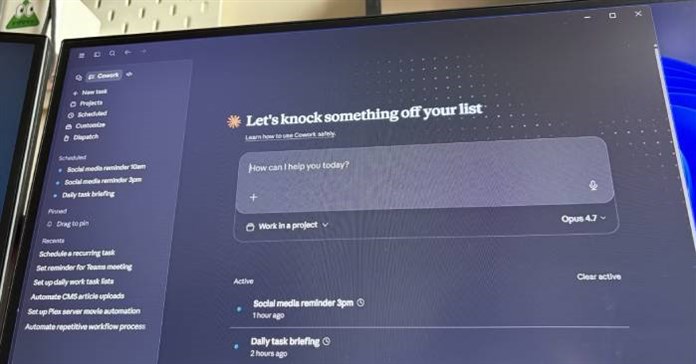
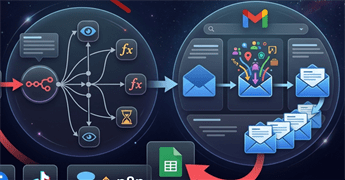
Hướng dẫn kết nối Gmail với n8n qua Google Cloud Console

Cách tạo video review sản phẩm góc POV

Biến ảnh thí nghiệm thành thí nghiệm trực quan trên Canva
Tìm hiểu về Google DiffusionGemma
Tăng cường bảo mật ChatGPT bằng Lockdown Mode
 Chế độ Khóa bảo mật trên ChatGPT được thiết kế nhằm bảo vệ người dùng và doanh nghiệp trước các nguy cơ rò rỉ dữ liệu.
Hướng dẫn tạo video avatar thuyết trình trên Google Vids
Google nâng cấp tính năng đáng chú ý cho Google Vids đó là khả năng tạo AI Avatar cho người dùng. Thay vì phải đứng trước máy quay, người dùng chỉ cần chuẩn bị nội dung, chọn nhân vật AI phù hợp và để Google Vids tự động tạo ra video hoàn chỉnh với người dẫn ảo chuyên nghiệp.5 lý do Claude Cowork được đánh giá là đổi mới AI lớn nhất trong năm 2026
Anthropic giới thiệu tính năng Claude Cowork mới như một cách để biến chatbot của họ trở nên giống một đồng nghiệp hơn. Cowork cho phép Claude truy cập vào các thư mục cục bộ, nghĩa là nó có thể hoàn thành công việc thay mặt bạn, thúc đẩy ý tưởng về năng suất của AI.Bổ sung kiến thức cho agent trong Copilot Studio
Bạn có thể thêm nguồn kiến thức vào một agent khi tạo lần đầu hoặc sau khi tạo. Các nguồn này có thể được sử dụng ở cấp độ agent hoặc cấp độ topic.9 câu lệnh phân tích hình ảnh cực chuyên nghiệp
9 prompt trong bài viết này được xây dựng nhằm khai thác tối đa sức mạnh của các công cụ AI. Từ việc phân tích chi tiết hình ảnh, nhận diện phong cách thiết kế, sao chép phong cách cho nội dung mới, đến việc tạo nhiều biến thể sáng tạo và tối ưu hình ảnh cho nhiều nền tảng.




TOP công cụ AI cho Microsoft Excel giúp phân tích dữ liệu, tạo công thức và biểu đồ
Khám phá 10 công cụ AI cho Excel tốt nhất năm 2026 giúp phân tích dữ liệu, tạo công thức, vẽ biểu đồ, tự động hóa bảng tính và nâng cao hiệu suất làm việc.Nút "Upload" trên AI: Cánh cửa năng suất hay cái bẫy "bốc hơi" bí mật của bạn?
Rủi ro bảo mật từ nút upload AI và giải pháp tối ưu cho doanh nghiệp bằng Docker, mã nguồn mở để làm chủ dữ liệu nội bộ.5 nhiệm vụ thực tế Gemma 4 vượt trội hơn các mô hình AI trả phí
Gemma 4 không chỉ "theo kịp" ở một số lĩnh vực nhất định. Nó thực sự vượt trội, bởi vì những lợi thế của việc chạy cục bộ với trọng số mở tạo ra những lợi ích cấu trúc mà không có mô hình đăng ký dựa trên đám mây nào có thể bắt chước được.Prompt tạo tranh tô màu theo số nhiều chủ đề cho bé
Chỉ cần một câu lệnh phù hợp, bạn có thể tạo ra nhiều mẫu tranh tô màu theo số khác nhau như con vật, phương tiện giao thông, trái cây, đồ vật quen thuộc hay các nhân vật hoạt hình đáng yêu.TOP công cụ AI quản lý mạng xã hội tốt nhất
Khám phá TOP công cụ AI quản lý mạng xã hội tốt nhất năm 2026 giúp tạo nội dung, lên lịch đăng bài, phân tích hiệu suất và quản lý nhiều nền tảng hiệu quả.



Hướng dẫn tạo ảnh thumbnail trên ChatGPT
ChatGPT không chỉ hỗ trợ tạo hình ảnh từ văn bản mà còn có khả năng chỉnh sửa và biến đổi một bức ảnh có sẵn thành thumbnail ấn tượng chỉ bằng những câu lệnh mô tả đơn giản.Tóm tắt các nguồn kiến thức cho agent trong Copilot Studio
Trong Copilot Studio, các nguồn kiến thức hoạt động cùng với những câu trả lời tạo sinh. Khi bạn thêm các nguồn kiến thức, những agent có thể sử dụng dữ liệu doanh nghiệp từ Power Platform, dữ liệu Dynamics 365, trang web và các hệ thống bên ngoài.TOP công cụ AI tuyển dụng tốt nhất
Khám phá 5 công cụ AI tuyển dụng tốt nhất năm 2026 giúp doanh nghiệp tìm kiếm ứng viên, sàng lọc CV, phỏng vấn và tối ưu quy trình tuyển dụng hiệu quả.5 cách sáng tạo để sử dụng LLM
Tốc độ thay đổi trong AI hiện nay thật đáng kinh ngạc, vì vậy hiện rất dễ bỏ lỡ những cơ hội mà AI có thể giúp bạn tiết kiệm thời gian, tiền bạc và loại bỏ rắc rối. Hãy cùng xem cách bạn có thể tận dụng tối đa các công cụ này!5 câu lệnh nâng cấp ảnh trên Gemini bạn cần nhớ
Gemini đang trở thành một công cụ hỗ trợ chỉnh sửa ảnh bằng AI được nhiều người quan tâm. Thay vì phải sử dụng những phần mềm phức tạp, bạn chỉ cần nhập một câu lệnh đơn giản để yêu cầu AI chỉnh sửa hình ảnh theo ý muốn.





5 cách AI giúp tăng năng suất làm việc
Mặc dù gây tranh cãi, các công cụ AI có thể mang lại những lợi ích to lớn về năng suất. Trợ lý AI và các công cụ khác có thể giúp bạn hoàn thành nhanh chóng những công việc hàng ngày tốn nhiều thời gian, chẳng hạn như quản lý lịch trình, email và danh sách việc cần làm.4 tính năng cần bổ sung cho NotebookLM
Với những người sử dụng ứng dụng này mỗi ngày và đã gắn bó từ những ngày đầu, đây là 4 tính năng họ hy vọng Google sẽ bổ sung trong thời gian tới.7 nguyên tắc giúp sử dụng AI companion hiệu quả mà không quá phụ thuộc
AI companion có thể hỗ trợ trò chuyện và đồng hành cảm xúc, nhưng cần được sử dụng đúng cách. Khám phá 7 nguyên tắc giúp tận dụng AI companion mà không quá phụ thuộc.Cách chuyển dữ liệu ghi nhớ và lịch sử trò chuyện sang Gemini
Tìm hiểu cách nhập và xuất dữ liệu ghi nhớ, lịch sử trò chuyện giữa Gemini và các chatbot AI khác như ChatGPT hay Claude để không mất dữ liệu khi chuyển nền tảng.8 cách bảo vệ quyền riêng tư trên ChatGPT
ChatGPT cho phép người dùng lựa chọn mức độ chia sẻ thông tin cá nhân, giới hạn các loại dữ liệu được thu thập và thực hiện nhiều biện pháp khác nhằm bảo vệ quyền riêng tư.





Chọn mô hình preview cho những phản hồi tạo sinh
Sự đổi mới trong lĩnh vực Trí tuệ nhân tạo (AI) diễn ra với tốc độ nhanh chóng, và mỗi mô hình tạo sinh đều có những điểm mạnh và chuyên môn khác nhau. Với các mô hình preview, bạn có thể đánh giá mô hình mới nhất để tóm tắt câu trả lời tạo sinh.Fix lỗi Something went wrong 1076 trên Gemini
Nếu bạn thường xuyên sử dụng Gemini cho công việc, học tập hoặc sáng tạo nội dung, việc nắm rõ nguyên nhân và cách xử lý lỗi 1076 sẽ giúp tiết kiệm thời gian và hạn chế những gián đoạn không mong muốn.Claude Pro hay API phù hợp với bạn hơn?
Nếu ai đó tình cờ nhắc đến trong tin nhắn Slack rằng họ đã chuyển từ Claude Pro sang API và đang tiết kiệm được tiền, chắc hẳn không ít người đồng tình.TOP ứng dụng AI tốt nhất trên iPhone
Khám phá 8 ứng dụng AI tốt nhất cho iPhone như ChatGPT, Gemini, Perplexity, Otter, Replika và Grok giúp học tập, làm việc và sáng tạo hiệu quả hơn.Google Gemma 4 có tốt hơn ChatGPT không?
Trong khi ChatGPT đã được sử dụng rộng rãi cho việc viết, lập trình và các tác vụ hàng ngày, Google đã giới thiệu Gemma 4 như một mô hình AI nhẹ và thân thiện với nhà phát triển.




Chuyển ảnh tài liệu thành file Word giữ nguyên định dạng
Việc chuyển đổi ảnh chụp tài liệu thành file Word thường khiến nhiều người mất khá nhiều thời gian. Nhưng khi sử dụng ChatGPT, quá trình này đã trở nên nhanh chóng và đơn giản hơn rất nhiều.







-
[Video] Hướng dẫn kết hợp lịch, ngày lễ Việt Nam trên Perplexity
-
Hướng dẫn tạo tool chia nhóm ngẫu nhiên
-
5 code trái tim đập của thủ khoa Lý có tên, chèn ảnh
-
Cách xây dựng giáo án tích hợp AI
-
[Video] Hướng dẫn thêm Skills vào Claude Console để mở rộng khả năng cho AI
-
Cách tạo nội dung tự học trên NotebookLM
![[Video] Hướng dẫn kết hợp lịch, ngày lễ Việt Nam trên Perplexity](https://st.quantrimang.com/photos/image/2026/06/17/Them-lich-Perplexity-700-size-250x0-znd.png)



![[Video] Hướng dẫn thêm Skills vào Claude Console để mở rộng khả năng cho AI](https://st.quantrimang.com/photos/image/2026/06/15/Them-Skill-vao-Claude-700-size-250x0-znd.png)

Cũ vẫn chất
-

Cách chỉnh sửa file hosts trên Windows 10
3 ngày -

Hàm MID: Hàm lấy chuỗi ký tự trong Excel
3 ngày -

Chuyển đổi Powerpoint thành video
3 ngày -

Hàm xử lý DATE/TIME trong SQL - Phần 1
3 ngày -

Apple phát hành iOS 18.6 Public Beta
3 ngày 4 -

5 code trái tim đập của thủ khoa Lý có tên, chèn ảnh
3 ngày 14 -

7 phần mềm diệt virus hiệu quả nhất cho Windows 2026
3 ngày 1 -

Stt năng lượng tích cực truyền cảm hứng và sức mạnh cho bạn
3 ngày -

Cách vào Safe Mode Windows 10 khi khởi động
3 ngày -

Thơ về con, thơ về con trai/con gái yêu của mẹ hay và cảm động nhất
3 ngày


 AI
AI  Copilot
  Grok
Grok  n8n
n8n  Thư viện Prompt
  Hướng dẫn AI
  Công nghệ
  Ứng dụng
  Hệ thống
  Game - Trò chơi
  iPhone
  Android
  Làng Công nghệ
  Học CNTT
  Hàm Excel
  Học Python
  Download
  Video
Video  Cuộc sống
  Khoa học