 AI
AI  Hướng dẫn AI
  Claude
  ChatGPT
  Gemini
  Thư viện Prompt
  Công nghệ
  Học IT
  Tiện ích
Tính nhất quán trong AI: Bí quyết sản xuất nội dung chuyên nghiệp 2026

Nghịch lý AI: Khi sự hỗ trợ biến thành "cái nạng" làm thoái hóa tư duy con người.

Trợ năng (a11y) trong phát triển frontend với AI

5 công cụ tìm kiếm tên bài hát qua giai điệu cực hay bạn đã biết chưa?
Tại sao AI Agent gặp khó với code Data Science hơn code Software Engineering?
 Phân tích vì sao AI coding agent hiện hoạt động hiệu quả hơn trong software engineering so với data science và notebook workflow.
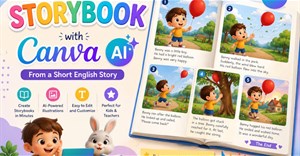
Cách tạo Storybook truyện tranh bằng Canva AI
Ứng dụng AI Storybook Maker trên Canva AI giúp bạn tạo một cuốn truyện tranh hoặc sách kể chuyện minh họa, rất đơn giản.Hướng dẫn thiết kế logo trên Canva bằng AI
Trong thời đại trí tuệ nhân tạo phát triển mạnh mẽ, việc thiết kế logo không còn là công việc dành riêng cho các nhà thiết kế chuyên nghiệp. Canva AI cho phép người dùng biến ý tưởng thành hình ảnh trực quan thông qua các câu lệnh mô tả.Hướng dẫn tách nền ảnh trên ChatGPT chuyên nghiệp
Trước đây, người dùng thường phải sử dụng các phần mềm chuyên nghiệp như Photoshop và mất khá nhiều thời gian để xử lý. Tuy nhiên, với sự hỗ trợ của ChatGPT, việc tách nền ảnh đã trở nên đơn giản và nhanh chóng hơn rất nhiều.Tự động hóa email và thông báo bằng Python với sự trợ giúp của AI
Trong bài học trước, bạn đã tích hợp với API REST — lấy dữ liệu, xử lý phân trang và xây dựng các pipeline dữ liệu. Bây giờ, hãy thêm lớp giao tiếp: Gửi email và thông báo từ các script tự động hóa của bạn.




TOP công cụ AI giải Toán tốt nhất nên thử
Khám phá 7 công cụ AI giải toán tốt nhất năm 2026 như Gauth AI, ThetaWise, Mathway, Wolfram Alpha, ChatGPT và Symbolab. Hỗ trợ giải bài tập, học toán và hiểu công thức dễ dàng hơn.Prompt tạo ảnh chân dung nữ siêu thực bằng AI
Chia sẻ prompt giúp tạo ảnh chân dung nữ siêu thực với ánh sáng golden hour, hiệu ứng bokeh tự nhiên và phong cách nhiếp ảnh lifestyle chuyên nghiệp.Hướng dẫn tạo ảnh chân dung chibi 3D phiên bản thu nhỏ
Bạn đã bao giờ tưởng tượng sẽ có nhiều phiên bản thu nhỏ của chính mình xuất hiện trong một bức ảnh chưa? ChatGPT sẽ mang tới thế giới mini đầy sống động với nhân vật chibi 3D đáng yêu từ chính ảnh chân dung của bạn.Tích hợp API trong tự động hóa Python với AI
API là một giải pháp thay thế có cấu trúc và đáng tin cậy: Thay vì phân tích cú pháp HTML, bạn nhận được dữ liệu JSON sạch trực tiếp từ dịch vụ.TOP công cụ phát hiện nội dung AI chính xác nhất
Tìm hiểu các công cụ kiểm tra nội dung AI tốt nhất năm 2026, hỗ trợ phát hiện văn bản AI, kiểm tra đạo văn và đánh giá chất lượng bài viết.





Cách tạo chỉ mục codebase trong Cursor
Hướng dẫn lập chỉ mục codebase trong Cursor để AI hiểu toàn bộ dự án, dùng @codebase và tối ưu indexing hiệu quả.Web Scraping với Python
Bạn đã tự động hóa quá trình xử lý dữ liệu với pandas — đọc, làm sạch và chuyển đổi bảng tính. Bây giờ, hãy lấy dữ liệu từ chính web: Trích xuất thông tin từ các trang web khi không có API hoặc công cụ tải xuống nào khả dụng.Prompt dùng Gemini phân tích cấu trúc video bất kỳ
Gemini không chỉ mô tả nội dung video mà còn có thể bóc tách toàn bộ cấu trúc phía sau nó: từ hook mở đầu, tâm lý khách hàng mục tiêu, các trigger cảm xúc, kỹ thuật giữ chân người xem, cho đến logic chuyển đổi khiến video tạo ra đơn hàng hoặc tương tác cao.Xử lý dữ liệu với pandas
Trong bài học trước, bạn đã xây dựng các script tự động hóa file — công cụ sắp xếp, đổi tên và sao lưu. Bây giờ, hãy cùng xử lý dữ liệu bên trong các file đó: Những file CSV, bảng tính Excel và JSON cần được làm sạch, chuyển đổi và báo cáo.50+ lời chúc sinh nhật người yêu lãng mạn và ngọt ngào
Lời chúc sinh nhật người yêu có rất nhiều trên Internet. Bài viết sẽ tổng hợp cho bạn những lời chúc mừng sinh nhật người yêu hay nhất.

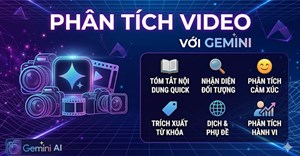


TOP công cụ theo dõi khả năng hiển thị tìm kiếm AI và thứ hạng AI tốt nhất
Khám phá TOP công cụ AI Rank Tracker hàng đầu như SE Ranking, Profound và Otterly.AI, giúp theo dõi khả năng hiển thị tìm kiếm trên ChatGPT, Gemini, Copilot và Google AI Overviews.Tự động hóa file và thư mục bằng Python với AI
Xây dựng các script Python để sắp xếp file vào thư mục, đổi tên file hàng loạt, tạo bản sao lưu tự động và giám sát những thư mục để phát hiện thay đổi — tất cả đều với sự hỗ trợ của AI.Tại sao nên sử dụng Python để tự động hóa? Cách AI giúp tăng cường khả năng này
Học cách tự động hóa các tác vụ hàng ngày bằng Python và Trí tuệ nhân tạo (AI) — từ quản lý file và xử lý dữ liệu đến thu thập dữ liệu web, API.Hướng dẫn tạo ảnh minh họa thơ, truyện kiểu sách lật
Thay vì tạo một hình ảnh duy nhất cho toàn bộ bài thơ, việc phân tích nội dung và chia thành các phân cảnh riêng biệt giúp AI hiểu rõ hơn diễn biến của câu chuyện, hành động của nhân vật.TOP công cụ AI hỗ trợ viết luận văn, nghiên cứu khoa học
Khám phá TOP công cụ AI hỗ trợ viết nội dung học thuật tốt nhất năm 2026 như Grammarly, Jenni AI, Scite, Litmaps và thesify ,giúp nghiên cứu, quản lý tài liệu và viết luận văn hiệu quả hơn.
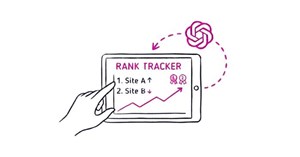




Xây dựng Production Page trong phát triển frontend với AI
Trong bài học trước, bạn đã tối ưu hóa cho các chỉ số Core Web Vitals — LCP, CLS và INP. Giờ hãy kết hợp tất cả lại: xây dựng một trang web hoàn chỉnh, có ngữ nghĩa, đáp ứng tốt trên nhiều thiết bị, dễ truy cập và nhanh chóng.Cách tạo báo cáo tài liệu sinh động qua Gemini
Gemini là một trong những công cụ AI được phát triển nhằm hỗ trợ người dùng trong nhiều lĩnh vực khác nhau, trong đó có khả năng phân tích và tạo báo cáo từ tài liệu.TOP tiện ích mở rộng AI tốt nhất cho Google Chrome
Khám phá những tiện ích AI tốt nhất cho Chrome năm 2026 như ChatGPT for Chrome, Grammarly AI, Jasper AI, Notion AI và Browse AI giúp tăng năng suất học tập và làm việc.Hướng dẫn tạo vòng quay gọi tên học sinh
Chỉ với một câu lệnh mô tả yêu cầu, Gemini có thể tạo ra một ứng dụng vòng quay gọi tên học sinh hoàn chỉnh dưới dạng trang web HTML, giúp giáo viên dễ dàng sử dụng ngay trên máy tính hoặc màn hình trình chiếu.Mẹo nhập Context hiệu quả trong Cursor
Cách thêm Context vào Cursor AI giúp AI hiểu sâu codebase, tối ưu câu trả lời và tự động hóa lập trình chính xác hơn.



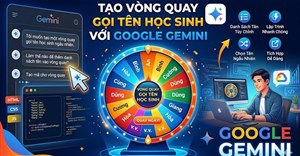

Tối ưu hóa hiệu năng phát triển frontend với AI
Core Web Vitals là các chỉ số của Google về trải nghiệm người dùng và chúng ảnh hưởng trực tiếp đến thứ hạng tìm kiếm. Một trang web đẹp và dễ truy cập nhưng mất 5 giây để load trên thiết bị di động sẽ có thứ hạng thấp hơn và mất người dùng.Prompt tạo ảnh World Cup siêu điện ảnh bằng AI
Chia sẻ prompt giúp tạo ảnh bóng đá phong cách World Cup với sân vận động tương lai, hiệu ứng mưa, pháo hoa và chất lượng điện ảnh bom tấn.














Cũ vẫn chất
-

Code Dragon Village M mới nhất và cách nhập code
3 ngày -

5 công cụ tìm kiếm tên bài hát qua giai điệu cực hay bạn đã biết chưa?
3 ngày -

Pick me là gì? Pick me girl, Pick me boy là gì?
3 ngày -

Cách xóa khoảng trắng và lỗi xuống dòng trong Word
3 ngày 3 -

Kí tự khoảng trống Liên Quân, ký tự khoảng trống Liên Quân
3 ngày 19 -

Wukong DTCL mùa 11, hướng dẫn Ngộ Không TFT mùa 11
3 ngày -

Hàm SUMIFS, cách dùng hàm tính tổng nhiều điều kiện trong Excel
3 ngày 8 -

Hướng dẫn tìm và tham gia kênh Telegram
3 ngày -

Lệnh UPDATE trong SQL
3 ngày 1 -

Hướng dẫn hủy SMS Banking VietinBank rất đơn giản
3 ngày


 AI
AI  Copilot
  Grok
Grok  n8n
n8n  Thư viện Prompt
  Hướng dẫn AI
  Công nghệ
  Ứng dụng
  Hệ thống
  Game - Trò chơi
  iPhone
  Android
  Làng Công nghệ
  Học CNTT
  Hàm Excel
  Học Python
  Download
  Video
Video  Cuộc sống
  Khoa học